You have a new drone, but you're facing confusing FAA rules. Flying illegally can lead to huge fines. This guide simplifies the 2026 registration process for you.
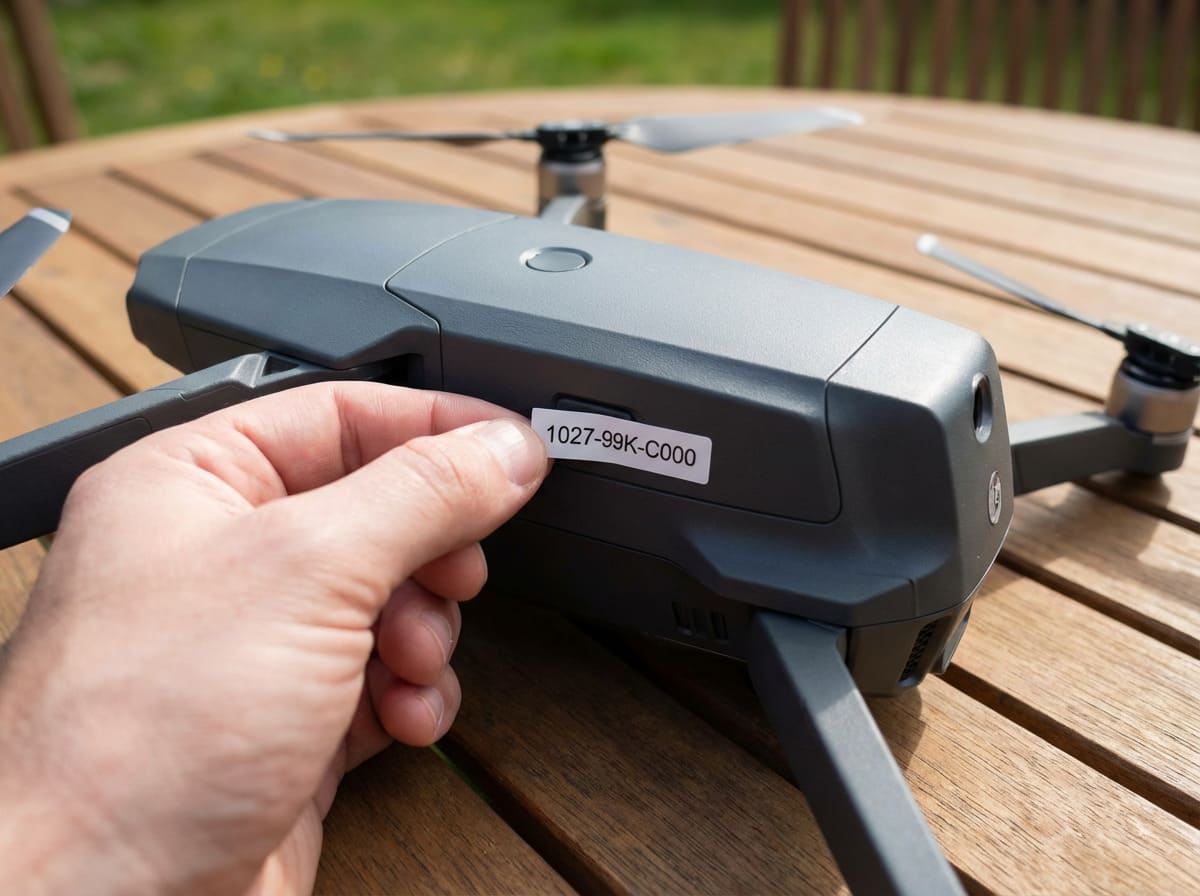
To register your UAS with the FAA in 2026, you must visit the official FAA DroneZone website. There, you'll provide your contact information and pay a small fee. After completing the process, you will receive a unique registration number that must be clearly displayed on your drone's exterior.
Getting your drone registered is the first critical step to flying legally in the United States. But I know from talking to my clients that registration is just the beginning. You might be wondering about new rules like Remote ID, how to fly for your business, or what to do near an airport. In my years of providing custom battery solutions for advanced drones, I've helped countless companies navigate these exact questions. Let's break down the details one by one so you can fly with complete confidence and stay on the right side of the law.
Is my drone already equipped with Remote ID, and how can I check?
Worried your drone isn't Remote ID compliant? Flying without it is illegal in many areas and could ground your operations. Here’s how to quickly verify your drone’s status.
Check your drone's packaging, user manual, or the manufacturer's website for "FAA Remote ID Compliant" labeling. If it's not built-in, you may need to attach a separate FAA-approved broadcast module. This ensures your drone transmits its location and identification information as required during flight.
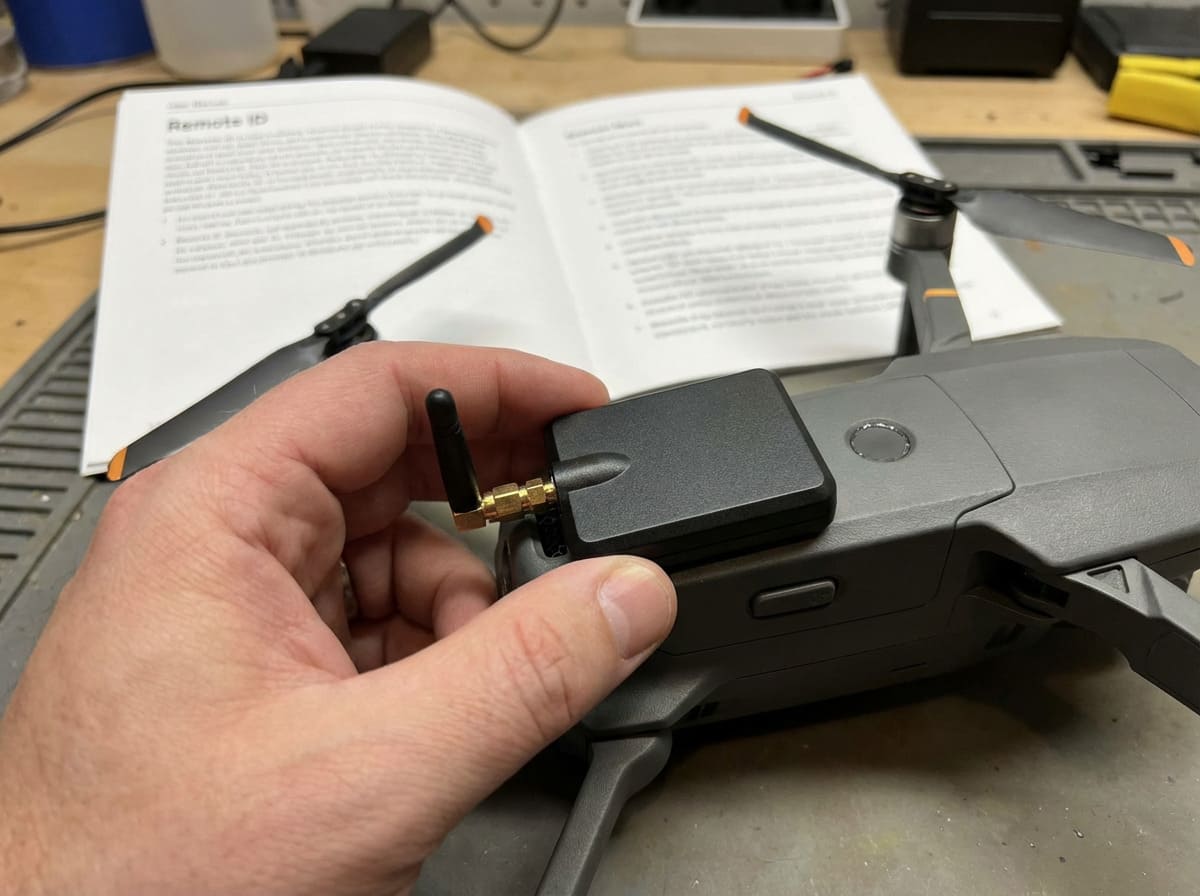
Remote ID acts like a digital license plate for your drone. It broadcasts information like the drone's ID, location, and control station location. This helps the FAA, law enforcement, and other officials identify drones flying in their area. It's a key part of maintaining safety and security in the national airspace. Ensuring your drone is compliant is not just a suggestion; it's a rule you must follow.
Three Ways to Check for Built-in Remote ID
- Look for a Label: Most manufacturers now place a compliance label directly on the drone or its packaging indicating it meets FAA Remote ID standards.
- Consult the Manual: The user manual or the manufacturer's official specifications online will state whether the drone has Standard Remote ID built-in.
- Check the FAA DOC List: The FAA maintains a public Declaration of Compliance (DOC) list1. You can search for your drone's make and model to see if it's been approved by the manufacturer as Remote ID compliant.
What If My Drone Doesn't Have Remote ID?
If you have an older drone without built-in Remote ID, you have two options. The most common solution is to buy an FAA-approved broadcast module. This is a small device you attach to your drone. It has its own power source and broadcasts the required information independently. A reliable broadcast module needs a dependable battery. At Litop, we understand the critical role of battery life in all drone components, ensuring your equipment remains compliant without interruption. The second option is to fly exclusively in FAA-Recognized Identification Areas (FRIAs), which are specific locations where drones without Remote ID are permitted to fly.
| Feature | Standard Remote ID (Built-in) | Broadcast Module (Add-on) |
|---|---|---|
| Integration | Fully integrated into the drone's system. | A separate device attached to the drone's exterior. |
| Power Source | Uses the drone's main battery. | Has its own internal, rechargeable battery. |
| Cost | Included in the purchase price of the drone. | An additional purchase, typically costing $100-$300. |
| Convenience | No extra steps needed before flight. | Must be attached and ensured it's charged before each flight. |
| Best For | All new drones purchased today. | Older or custom-built drones without built-in Remote ID. |
I've registered my drone, how can I legally fly commercially to make money for my company?
Your drone is registered, but turning it into a business tool seems complicated. Flying commercially without the right certification can lead to serious penalties and jeopardize your company's reputation.
To fly commercially, you must follow the FAA's Part 107 rules. This involves obtaining a Remote Pilot Certificate by passing an aeronautical knowledge test at an FAA-approved testing center. Drone registration alone is not enough; certification is the key to legally using your drone for business.
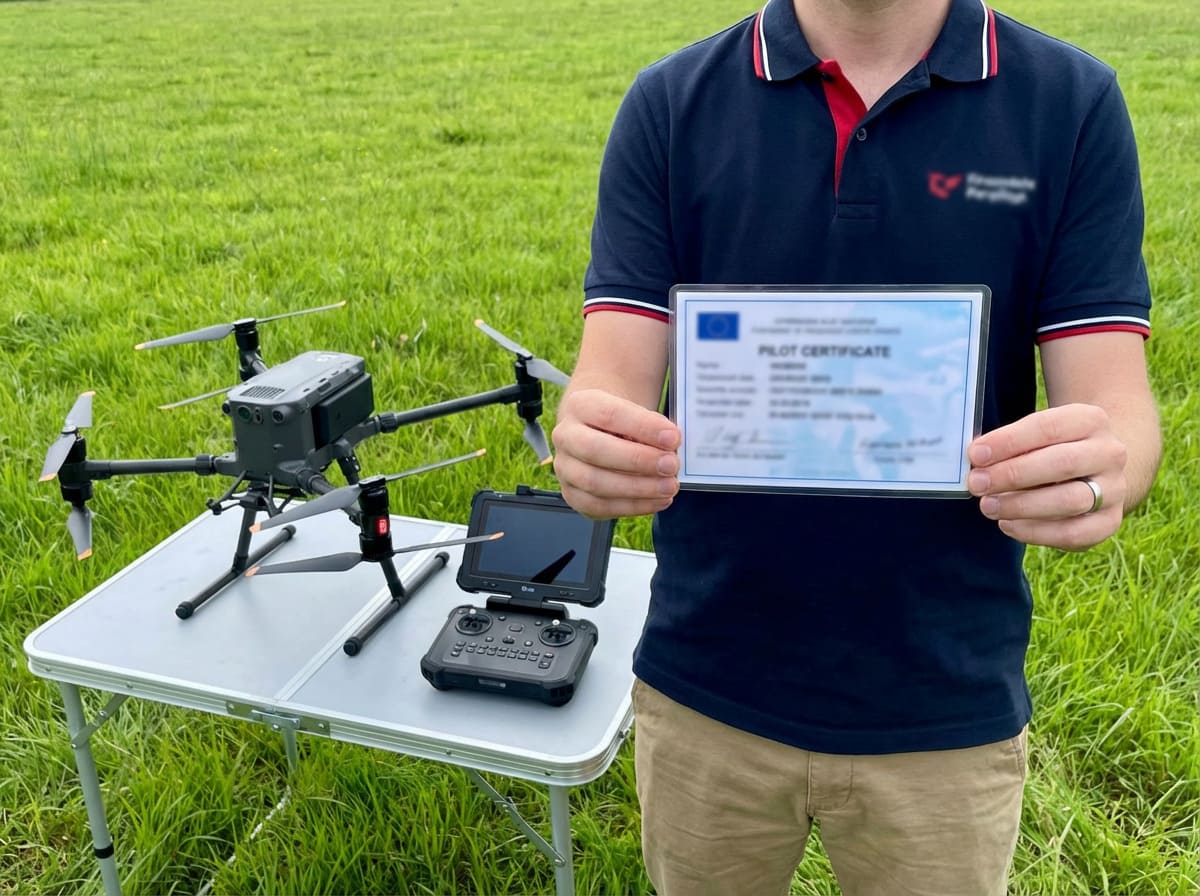
Simply registering your drone only covers you for recreational flying. When you start using a drone for any work-related purpose, whether it's for real estate photography, site inspections, or agricultural surveys, you cross into commercial operations. The FAA takes this distinction very seriously. I've seen many businesses benefit hugely from using drones, but they all started by getting the right certification. The Part 107 rules2 are designed to ensure that commercial pilots understand how to operate safely within the National Airspace System.
Steps to Get Your Remote Pilot Certificate
- Confirm Eligibility: You must be at least 16 years old, be able to read, speak, write, and understand English, and be in a physical and mental condition to safely fly a drone.
- Study for the Exam: You need to pass the FAA's Unmanned Aircraft General – Small (UAG) knowledge test. Topics include regulations, airspace classifications, weather, and drone performance. Many online courses and study guides are available.
- Schedule and Pass the Test: You must take the 60-question, multiple-choice test at an FAA-approved Knowledge Testing Center and achieve a score of 70% or higher.
- Apply for Your Certificate: After passing the test, you will complete FAA Form 8710-13 through the FAA's IACRA system. After a TSA background check, you'll receive your permanent Remote Pilot Certificate.
For my clients in fields like industrial inspection or mapping, maximizing flight time is crucial for profitability. Longer flights mean more data collected and fewer battery swaps. That's why we at Litop specialize in high-capacity, high-performance custom battery packs. They are engineered to keep professional drones in the air longer, making each commercial mission more efficient and productive.
Key Part 107 Operational Rules to Remember
- Keep the drone within your visual line-of-sight (VLOS).
- Fly at or below 400 feet above the ground.
- Fly only during daylight or civil twilight (with appropriate anti-collision lighting).
- Do not fly over people who are not directly participating in the operation.
- Do not operate from a moving vehicle.
- Yield right-of-way to all manned aircraft.
How can I get permission to fly in controlled airspace (Class B/C/D/E) near an airport?
You see a perfect opportunity for an aerial shot near a city, but it's close to an airport. Flying in that restricted airspace without permission is illegal and extremely dangerous.
To fly in controlled airspace, you must get airspace authorization from the FAA. The fastest way is through the Low Altitude Authorization and Notification Capability (LAANC) system, which is available via many FAA-approved drone apps. You can get near-real-time approval through LAANC.
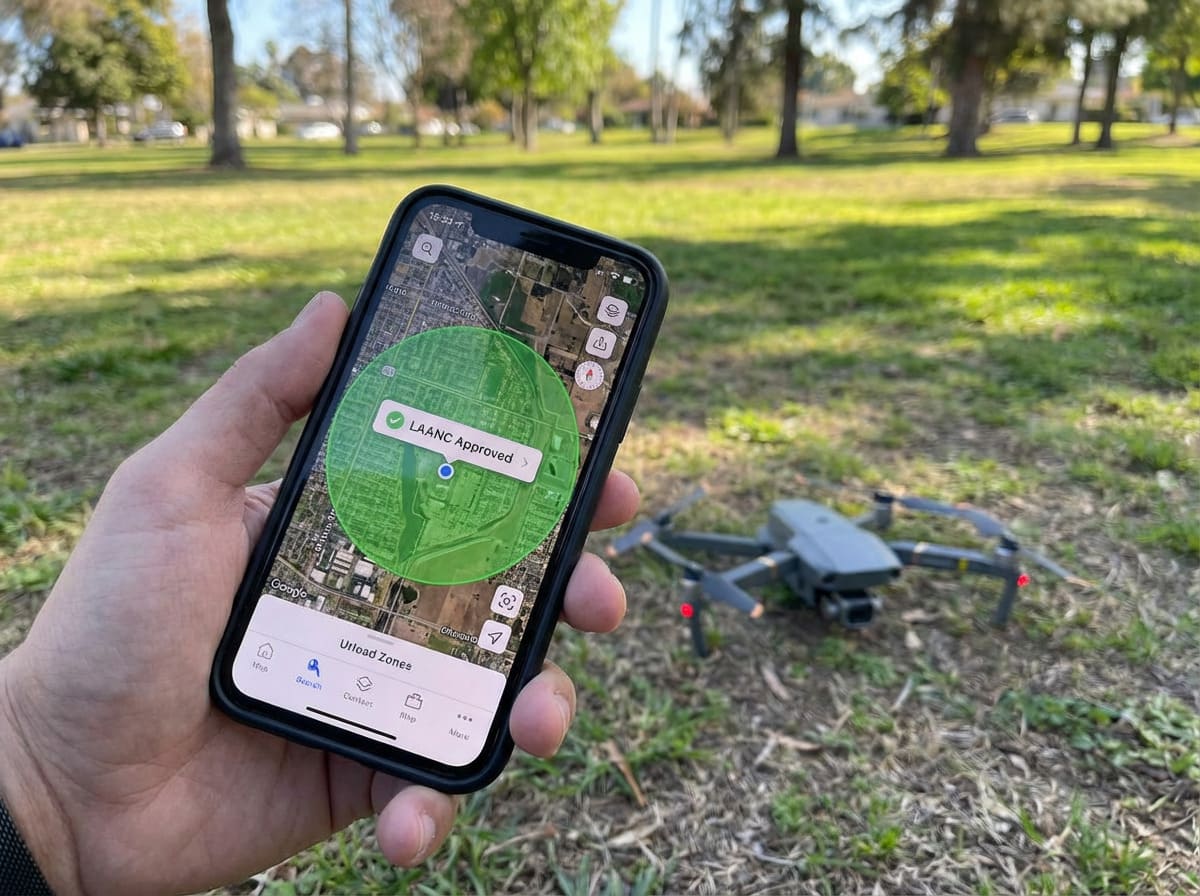
Controlled airspace exists around airports to ensure the safety of manned aircraft. These areas are designated as Class B, C, D, or E airspace. Flying a drone in these zones without permission is a serious violation. Fortunately, the FAA created LAANC to make the authorization process fast and efficient for drone pilots. When operating in these demanding environments, you cannot afford equipment failure. The reliability of your drone, especially its battery and power management system, is critical for safety and compliance. We build our battery packs at Litop to meet these mission-critical standards.
Using LAANC for Instant Authorization
LAANC is an automated system that connects you directly to the FAA. When you submit a request through an approved app, the system checks it against FAA rules for that specific location. If your flight plan is within the pre-approved altitude limits shown on the facility maps, you can receive authorization in seconds. Many popular drone apps, such as Aloft or B4UFLY, are LAANC providers. You simply open the map, select your flight area, set your maximum altitude, and submit the request. It's the go-to method for most Part 107 pilots who need to fly in controlled airspace.
When to Use FAA DroneZone for Authorization
Sometimes, your flight might require special permission that LAANC can't provide. For example, if you need to fly at a higher altitude than the LAANC ceiling allows or if you need to fly in an area where LAANC is not yet active. In these cases, you must submit a manual request for airspace authorization through the FAA DroneZone portal. This process is much slower because it requires a person at the FAA to review your request. You should submit these requests as early as possible, as the FAA says it can take up to 90 days to get a decision.
| Feature | LAANC (Low Altitude Authorization and Notification Capability) | FAA DroneZone (Manual Request) |
|---|---|---|
| Speed | Near-instantaneous, automated approval. | Slow, manual review. Can take up to 90 days. |
| Altitude | Limited to pre-approved ceilings shown on FAA maps. | Can request to fly at specific altitudes, including above the LAANC ceiling. |
| Coverage | Available at over 700 airports in the US. | Can be used for any controlled airspace, including areas not covered by LAANC. |
| Best For | Quick, routine flights within standard altitude limits. | Complex operations or flights that require special consideration. |
If I'm a foreign tourist visiting the US, can I use my foreign registration number? Or must I re-register with the FAA?
You're excited to visit the US and capture amazing aerial videos with your drone. You assume your home country's registration is valid, but using it could get you into trouble.
No, you cannot use your foreign registration number in the United States. All foreign nationals must register their drones with the FAA through the DroneZone website before flying in US airspace. Your home country's registration is not recognized for operations within the US.
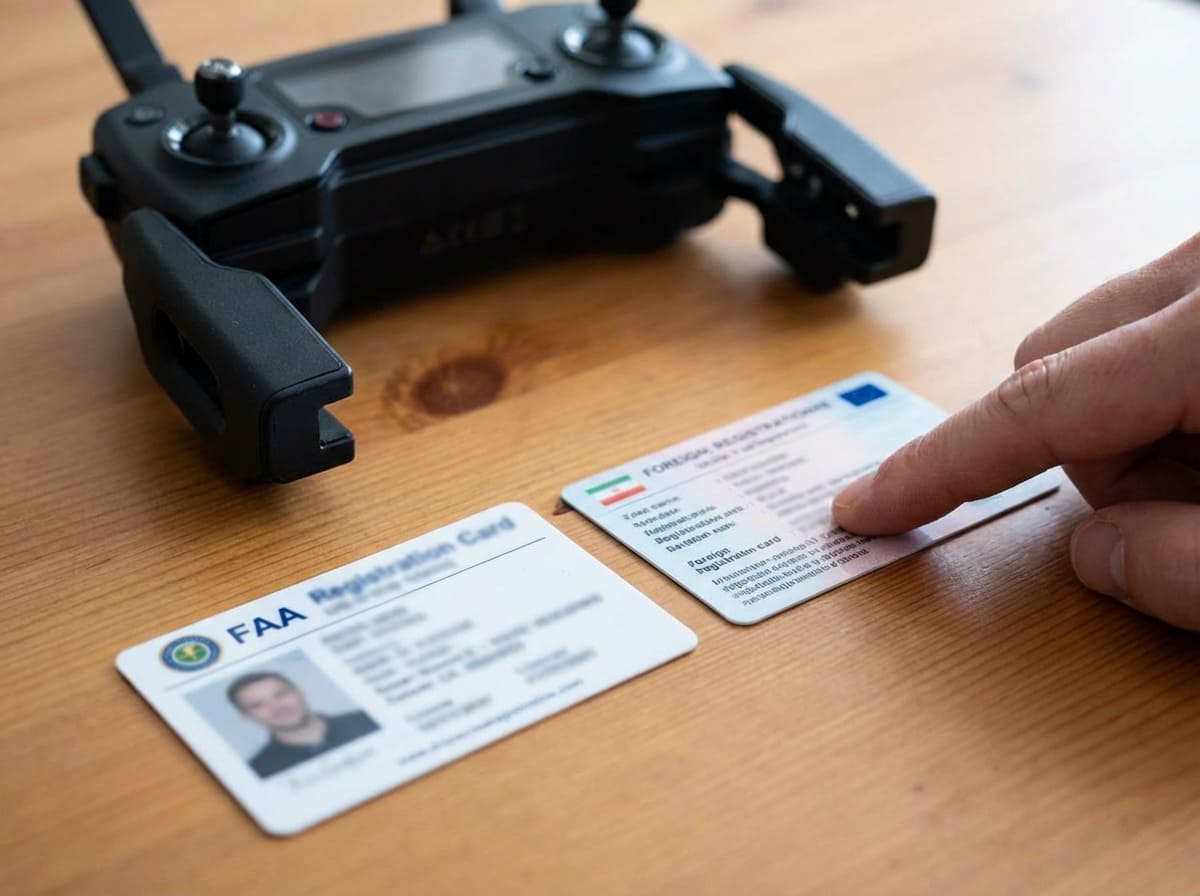
This is a common point of confusion for international visitors, and it's a rule the FAA enforces strictly. The United States requires every drone weighing more than 250 grams (0.55 lbs) to be registered in its system, regardless of the pilot's nationality or where the drone was purchased. The good news is that the process is simple and can be completed online before you even travel. Traveling with your drone means you need gear you can count on. At Litop, we provide custom batteries that are not only powerful but also designed to comply with international shipping regulations like UN38.3, making your journey smoother from the start.
Registration Process for Foreign Nationals
The process is almost identical to that for a US citizen. You will need to create an account on the FAA DroneZone website. Select the option to register under Part 107 or the Exception for Recreational Flyers. Since you will be flying for fun as a tourist, you will register under the recreational flyer rules. You will need to provide your name and a valid email address, then pay the small registration fee. The system will issue you a Certificate of Aircraft Registration and a unique registration number. This number must be written on the outside of your drone where it is clearly visible.
Important Rules for Foreign Recreational Flyers
Once registered, you are not done yet. As a recreational flyer in the US, you must also follow all FAA rules for recreational pilots. This includes a few key steps:
- Pass The Recreational UAS Safety Test (TRUST): Before your first flight, you must complete this short, free online training course and pass the test. You must be able to show proof that you passed the test if asked by law enforcement or FAA officials.
- Fly for Fun Only: Your flights must be purely for recreational purposes. You cannot perform any flights for compensation or in support of a business.
- Follow All Safety Guidelines: You must always fly within visual line-of-sight, give way to manned aircraft, and respect all airspace restrictions, including those around airports, national parks, and critical infrastructure. Always check a B4UFLY app before you fly.
Conclusion
Registering your drone with the FAA is a simple, mandatory step via the DroneZone. For business use, a Part 107 certificate is essential. Always get authorization using LAANC for controlled airspace, and remember that foreign registrations are not valid in the US. Stay informed and fly safely.