Struggling to balance battery capacity with a long product life? A battery that dies too soon means unhappy customers and rising replacement costs. The key is understanding its real-world lifespan.
High-capacity batteries typically offer 300 to 1200 charge cycles. This number depends on chemistry, manufacturing quality, and how you use them. As capacity increases, the cycle count may slightly decrease due to higher material stress, but proper care can significantly extend this lifespan.

The number of cycles on a spec sheet is just a starting point. It’s a lab-tested figure under ideal conditions. In my years of experience at Litop, I've seen how real-world use can change that number dramatically. The real value comes from understanding what influences that cycle count and how you can design your product and guide your users to get the most out of every battery. Let’s break down the factors that truly matter.
Do high-capacity and standard-capacity batteries have different cycle lives?
It's tempting to just pick the battery with the biggest capacity number. But does that choice come at the hidden cost of a shorter product lifespan? You need to know the trade-offs.
Yes, there is often a trade-off. High-capacity batteries may have a slightly shorter cycle life than standard-capacity versions of the same size. This is because their denser materials can degrade faster under stress. However, modern battery technology is closing this gap significantly.

When we talk about high-capacity batteries, we're talking about packing more energy-storing material into the same physical space. Think of it like trying to fit more clothes into a suitcase. You can do it, but everything is packed much tighter, and the fabric of the suitcase is under more strain. It’s a similar story inside a battery.
The Capacity vs. Cycle Life Trade-off
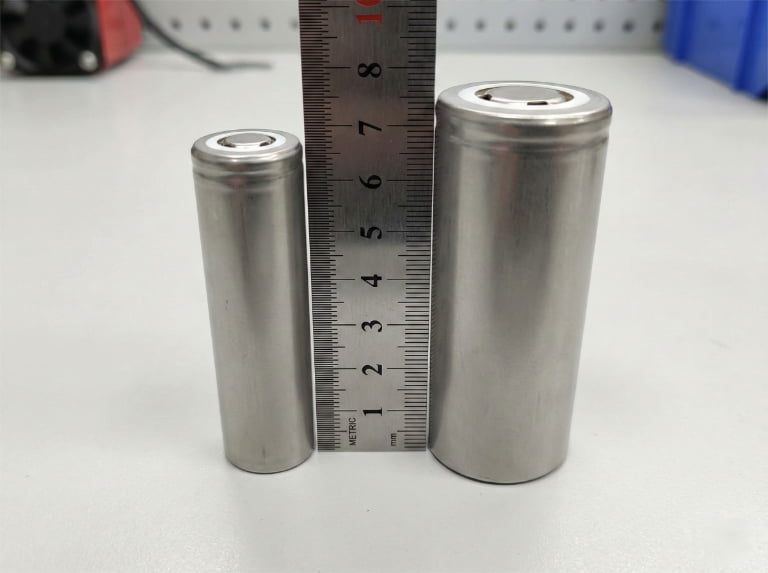
The core of a lithium-ion battery involves lithium ions moving between two electrodes, the anode and the cathode. To increase capacity, manufacturers use electrode materials that are denser or thicker. While this allows the battery to hold more charge, it also introduces challenges. The denser materials create more physical stress during charging and discharging as they expand and contract. Over time, this repeated stress can cause micro-fractures in the material, reducing its ability to hold a charge. This is a primary cause of capacity fade. For example, some of our tests on high-capacity 21700 cells1 show they can complete 600 cycles and still hold over 70% of their original capacity, which is a strong benchmark for the industry. This is excellent performance, but a lower-capacity cell might achieve 800 or more cycles under the same conditions.
Here is a simple breakdown:
| Feature | Standard-Capacity Battery | High-Capacity Battery |
|---|---|---|
| Energy Density | Lower | Higher |
| Initial Runtime | Shorter | Longer |
| Potential Cycle Life | Often Higher (e.g., 500-1500) | Often Slightly Lower (e.g., 300-1200) |
| Stress on Materials | Lower | Higher |
| Best For | Longevity, Reliability | Maximum Runtime Per Charge |
The choice always depends on your product's main goal. For a medical device where reliability over years is critical, a standard-capacity battery might be better. For a consumer drone where flight time is the main selling point, the trade-off for a high-capacity battery is worth it.
What are the main factors that affect the cycle life of a lithium-ion battery?
Your product's battery life seems unpredictable, often falling short of what the spec sheet promised. This inconsistency can damage your brand's reputation and lead to frustrated customers asking for replacements.
The three biggest factors are Depth of Discharge (DoD), charging and discharging speed (C-rate), and operating temperature. Consistently discharging a battery completely, charging it too fast, and using it in extreme heat or cold will all significantly reduce its total number of charge cycles.

I've worked with countless clients who were surprised to learn that a battery's lifespan isn't just a fixed number. It’s a dynamic figure that is heavily influenced by how the battery is treated. You can have two identical batteries, and one might last twice as long as the other simply due to different usage patterns. Understanding these key stress factors is the first step toward building a more reliable product and educating your customers. Let's look at each one.
Depth of Discharge (DoD)
Depth of Discharge refers to how much of the battery's capacity you use before recharging it. A 100% DoD means you use all the power, from 100% down to 0%. A 50% DoD means you use half, say from 80% down to 30%. Shallow discharges are much less stressful on a battery than deep ones. Each full discharge puts maximum strain on the cathode and anode. Our internal tests confirm this. A battery that is rated for 800 cycles at 100% DoD might last for thousands of cycles if it's consistently used at just 50% DoD. This is why many experts recommend keeping your battery charge between 20% and 80%.
Charging and Discharging Speed (C-rate)
The C-rate measures how fast a battery is charged or discharged relative to its capacity. A 1C rate means charging a battery from empty to full in one hour. A 0.5C rate takes two hours, while a 2C rate takes only 30 minutes. While fast charging is convenient, it generates more heat and puts more physical stress on the battery's internal components. This accelerates degradation. In our lab, we see that charging at a slower 0.5C rate helps maintain over 94% capacity after 800 cycles, while faster charging under the same conditions might result in a faster drop in capacity.
Operating and Storage Temperature
Lithium-ion batteries have a comfort zone, typically between 15°C and 25°C (60°F and 77°F). High temperatures, especially above 45°C (113°F), speed up the chemical reactions inside the battery, causing it to lose capacity much faster. This damage is permanent. On the other end, charging a battery in temperatures below 0°C (32°F) is very dangerous. It can cause a phenomenon called lithium plating on the anode2, which permanently damages the battery and creates a serious safety risk.
What is "End-of-Life" for a battery? Does it mean the battery is completely dead?
You need to define when a battery should be replaced in your product's lifecycle. Getting this "end-of-life" definition wrong can lead to customers replacing batteries too soon or complaining when their device stops working unexpectedly.
End-of-life (EOL) doesn't mean the battery is dead. It refers to the point when the battery's capacity drops to a specific percentage of its original rating, which is typically 80% or 70%. The battery will still work, but its runtime will be noticeably shorter.
When I first started in this industry, I assumed "end-of-life" meant the battery stopped working entirely. But that's rarely the case. In reality, all batteries begin to degrade from their very first cycle. This gradual loss of capacity is called "capacity fade3." The EOL is simply an industry-defined milestone to signal that the battery can no longer perform as expected for its intended application.
Defining the Threshold
The most common threshold for EOL in consumer electronics like smartphones and wearables is 80% of the original capacity. Why 80%? Because at this point, the average user will start to notice that their device doesn't last as long as it used to. A phone that once lasted a full day might now need a top-up in the evening. For more critical applications, the EOL threshold is often stricter. A medical device that must be reliable might define its battery's EOL at 85% to ensure it never fails during use.
Here’s a quick look at how different applications might define EOL:
| Application | Typical EOL Threshold | Reason |
|---|---|---|
| Smartphones, Wearables | 80% Capacity | User experience; noticeable drop in daily runtime. |
| Medical Devices | 80-85% Capacity | High reliability is required; cannot risk power failure. |
| Power Tools | 70% Capacity | Performance drops, but still functional for many tasks. |
| Energy Storage Systems | 60-70% Capacity | Can still provide significant value even with lower capacity. |
Beyond Capacity: Internal Resistance
Capacity isn't the only factor. Another important sign of an aging battery is an increase in its internal resistance. Think of internal resistance as friction inside the battery. As a battery gets older, this "friction" increases, making it harder for the battery to deliver power. This is why an old phone might suddenly shut down when you try to take a photo, even if the battery meter says 30%. The sudden power demand is too much for the high-resistance battery to handle. For high-drain devices, a spike in internal resistance can be a more critical EOL indicator than capacity fade.
How can you maximize a battery's charge cycles with the best charging habits and maintenance?
You want to design a product with a battery that lasts as long as possible. Poor user habits can easily cut a battery's lifespan in half, leading to warranty claims and customer support headaches.
To maximize cycle life, avoid full charge and discharge cycles by keeping the battery between 20% and 80%. Use a slower, standard charger instead of a fast charger when possible, and keep the device away from extreme heat or cold, especially while charging.
The good news is that extending battery life isn't complicated. By incorporating smart battery management into your device and educating your users on a few simple habits, you can dramatically increase the number of useful charge cycles. These practices are all based on minimizing the stress factors we discussed earlier. After helping hundreds of clients optimize their battery systems, I've found these four tips to be the most effective.
Practical Tips for Longer Battery Life
1. Practice Partial Charging The single best thing you can do for a lithium-ion battery is to avoid charging it to 100% or letting it run down to 0%. The 20% to 80% range is the sweet spot. For many of our clients with products that require very long life, we design the Battery Management System (BMS)4 to stop the charge at 4.1 volts instead of the maximum 4.2 volts. This simple change sacrifices about 10% of the runtime per charge but can nearly double the battery's total cycle life.
2. Control the Temperature Heat is the number one enemy of battery longevity. Encourage users not to leave their devices in a hot car or in direct sunlight. It's also important not to charge a device when it feels hot to the touch; let it cool down first. The BMS should also have temperature sensors to halt charging if the battery gets too hot or too cold.
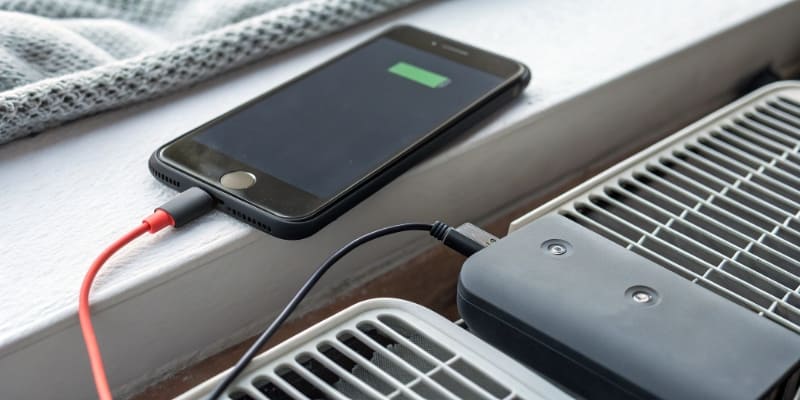
3. Use the Right Charger Always use a charger that is rated for the device. A charger with a higher amperage than recommended can force too much current into the battery, generating excess heat and stress. While fast charging is a great feature, using a standard, slower charger overnight is much gentler on the battery and will help it last longer.
4. Smart Long-Term Storage If a device is going to be stored for several months, it shouldn't be left fully charged or completely empty. Storing a battery at 100% charge for a long time, especially in a warm environment, will cause rapid capacity loss. The ideal storage level is around 40-50% charge. Storing it in a cool, dry place will preserve its health for when it's needed again.
Conclusion
High-capacity batteries deliver great runtime, usually lasting 300-1200 cycles. This lifespan isn't fixed; it depends heavily on how the battery is used. By avoiding extremes in temperature, charge levels, and charging speed, you can greatly extend your battery's service life and the value of your product.
See why 21700 cells are popular in high-performance applications and how they compare to other formats. ↩
Understand the risks of charging in cold temperatures and how to prevent battery failure. ↩
Understand the phenomenon of capacity fade to better predict battery end-of-life. ↩
See how BMS technology can protect batteries and extend their usable life. ↩